Watch the Opal launch video
Tasks

Put recurring work on autopilot.

Tasks let you assign a unit of work to an agent and run it automatically — on demand, on a schedule, or triggered by an external system. Set it up once and let it run, with the oversight and traceability your team requires.

Task · campaign monitoringrecurring
assigned to · analyst agent
trigger · every 4 hours
instructionsagent reviewuser review
run · 09:00
complete
run · 13:00
reviewed
run · 17:00
queued
The problem

Repetitive work keeps pulling your team back in.

Most recurring work follows the same pattern every time. But without a way to automate it reliably, someone has to do it manually — each run, every time. That's time your team isn't spending on higher-value work. And the more often work slips or gets delayed, the harder it is to catch up.

Tasks are how you operationalize repeatable work so it runs reliably in the background, without requiring someone to direct it each time.

01

Someone has to run it every time

Most recurring work follows the same pattern every time. But without a way to automate it reliably, a person has to direct each run — every cycle, every week.

02

Time goes to the work that repeats

Hours spent re-running the same reports, checks, and summaries are hours not spent on the judgment work only people can do.

03

Slipped runs are hard to catch up on

The more often recurring work gets delayed or skipped, the further behind the organization falls — and the more effort it takes to recover.

What is a Task

A unit of work, running on its own.

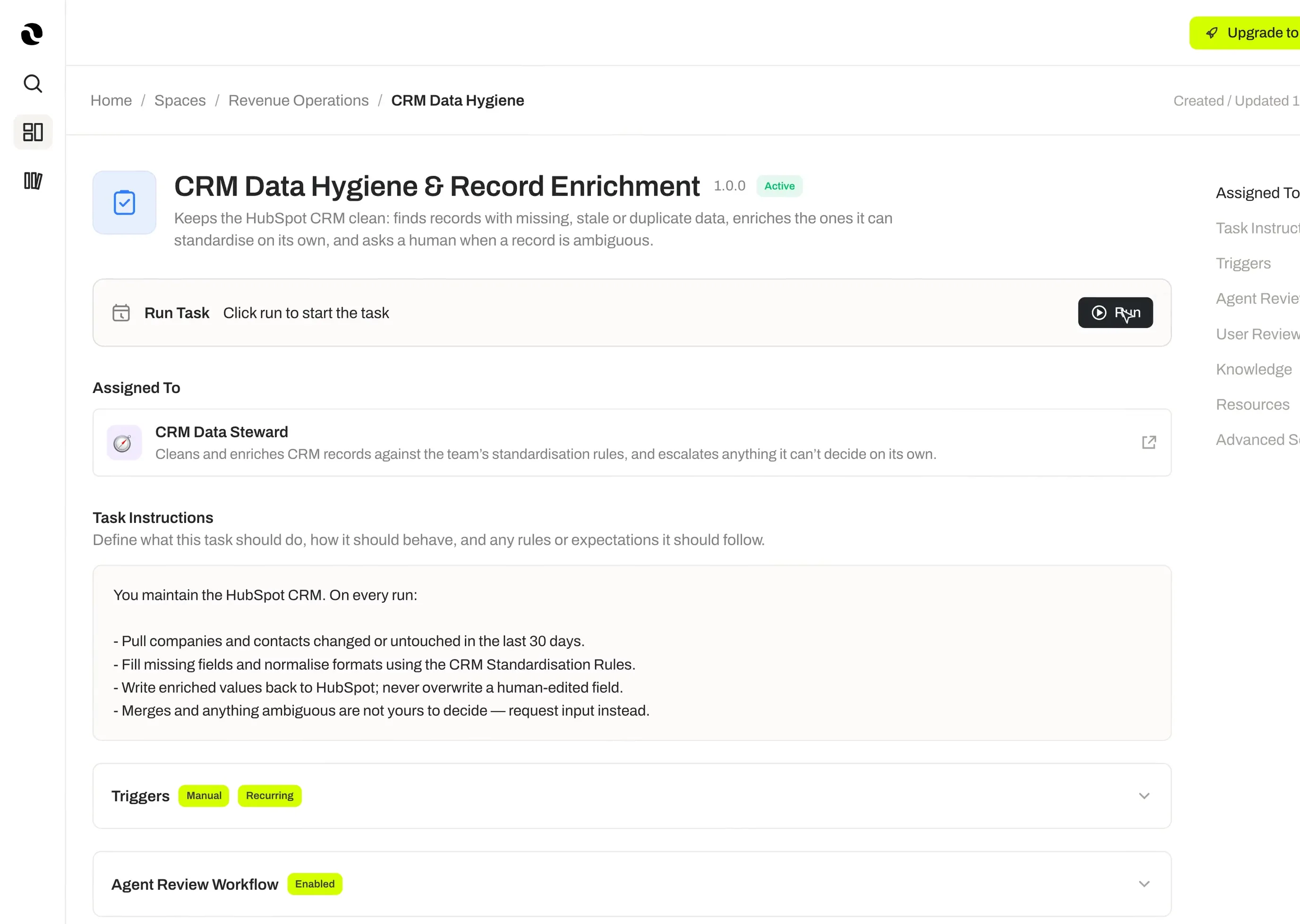
A Task assigns a specific piece of work to an agent, with its own instructions and trigger. It runs automatically, delivers results, and logs every execution — so work keeps moving even when no one is watching.

  1. 01

    Instructions

    Give the Task clear direction. Each Task carries its own instructions that tell the assigned agent exactly what to execute.

  2. 02

    Flexible triggers

    Run a Task manually, on a recurring cadence, at a scheduled time, or via a webhook from an external system. The right trigger for any kind of work.

  3. 03

    Agent reviewer

    Add an agent to review the output before it's finalized, with its own review instructions. Quality stays in the loop automatically.

  4. 04

    User reviewer

    Keep a person in the loop when it matters. A user reviewer can check results and request changes before the Task is considered complete.

  5. 05

    Continuous Learning

    Tasks improve with use. Continuous Learning captures lessons from successful runs and applies them to sharpen future results.

  6. 06

    Run Log

    Every execution is recorded. The Run Log gives full visibility into what ran, when, and what the outcome was — so results are always auditable and traceable.

Anatomy of a Tasklive
manual
recurring
scheduled
webhook
trigger
task · instructions
assigned to · analyst agent
knowledgeskillsguardrails
agent reviewer
quality check
user reviewer
human in the loop
run log
run · 09:00complete
run · 13:00reviewed
run · 17:00queued
continuous learning · feeds back into the next run
How it works

Set it up. Let it run.

Step 01

Assign an agent

Choose the agent responsible for executing the Task and give it clear instructions for what to do.

Step 02

Add reviewers (optional)

Add an agent reviewer, a user reviewer, or both — each with their own review instructions. Oversight is built in when you need it, skipped when you don't.

Step 03

Choose a trigger

Set how the Task runs. Manual triggers work for on-demand needs. Recurring triggers handle regular cadences. Scheduled triggers fire at a specific time. Webhook triggers respond to events in external systems.

Step 04

Add context (optional)

Every Task can already draw on its Space's knowledge and the assigned agent's resources. Attach additional Knowledge, Skills, Connectors, Tools, or Guardrails when a specific Task needs more.

Step 05

Run and improve

The Task runs automatically based on its trigger. Continuous Learning captures what worked. The Run Log records every execution. Over time, the Task gets sharper.

Key benefits

Work that runs without you.

Set once, run reliably

Create a Task once and it executes on demand, on a schedule, or when an external event fires — no need to direct it each time.

The right trigger for the job

Manual, recurring, scheduled, and webhook triggers cover every scenario, from ad-hoc runs to event-driven automation from other systems.

Oversight without effort

Optional agent and user reviewers keep quality and accountability in the loop without requiring someone to run the work themselves.

Improves with every run

Continuous Learning turns each successful execution into captured lessons that make future runs better.

Full traceability

The Run Log records every execution, so results are easy to audit, review, and trace back to the source.

See it in practice

How teams put Tasks to work.

Three triggers, three rhythms — recurring monitoring, scheduled reporting, and event-driven triage.

Case 01
Marketing

Campaign performance monitoring

A marketing manager creates a Task that reviews live advertising campaign metrics every few hours, flags anything outside target ranges, and routes results to her for review. She stays informed without checking dashboards manually throughout the day.

Trigger
Recurring · every few hours
Reviewer
User review
Outcome
No manual dashboard checks
Case 02
Operations

Weekly status reporting

An operations lead sets up a Task that pulls data from connected systems every Monday morning, compiles a project status summary, and delivers it to the team before the weekly standup. The report is ready before anyone arrives.

Trigger
Scheduled · Monday morning
Sources
Connected systems
Outcome
Report ready before standup
Case 03
Customer Success

Inbound request processing

A customer success team uses a webhook-triggered Task to process every new inbound support request as it arrives. The agent reviews the request, categorizes it, drafts an initial response, and flags anything that needs a human touch — all before the first team member opens their inbox.

Trigger
Webhook · on new request
Agent work
Categorize · draft · flag
Outcome
Triaged before inbox opens
Security and compliance

Governed by design.

01

Role-Based Access Control

Tasks are governed by Space-level permissions. Only the right people can create, modify, or view Tasks and their results.

02

Audit Log

Every Task execution is recorded in the Run Log, giving full visibility into what ran, when it ran, and what it produced.

03

Webhook Security

Webhook triggers are secured with a secret token, so only authorized external systems can fire a Task.

04

Versioning

Changes to Tasks are tracked over time, supporting review and rollback when needed.

05

Zero Data Retention

Opal operates under a zero data retention policy with AI model providers, so the content processed by your Tasks is never used to train external models.

06

Certifications

ISO 27001, ISO 42001, and SOC 2 Type II certifications are underway.

Tasks

Automate the work that runs your organization.

Start building Tasks on Opal and let your agents handle the recurring work while your team focuses on what only people can do.