
Opal at a Glance
A guided map of Opal’s main areas and how they fit together.
How much of this tour you can see and use depends on your organization's plan, the role permissions you have been granted, and the permissions set on individual resources — organization administration and Marketplace publishing in particular. If something described here is not available to you, that is usually why. The access model is documented in one place: Access & Permissions.
Purpose
This page is the map of Opal. It walks through the platform's main areas — where work happens, who and what does the work, what grounds that work in your organization's own information, how proven work gets reused, and what keeps it all accountable — and then shows how those areas connect.
It is a map rather than a manual. Each area gets a few sentences: enough to recognize it, understand what it is for, and know where it sits in the platform. Every area is then documented in full in Core Concepts.
If you have not read What Is Opal? yet, start there — it covers what Opal is, who it is for, and the value it delivers.
In This Section
This tour follows the same six groupings that Core Concepts uses, so anything you want to go deeper on has an obvious next page:
- Getting Work Done — Spaces, threads, tasks, and flows: where work happens, and the three ways it gets done. Getting Work Done
- Managing Knowledge — Knowledge, Opal's centralized knowledge base, and how people and agents work from the same information. Managing Knowledge
- Building Agents — Agents, and the building blocks each one is configured with: models, skills, connectors, tools, widgets, and guardrails. Building Agents
- Templates — Reusable, pre-configured starting points for creating agents, tasks, and flows. Templates
- Marketplace — Where organizations publish the resources they have built and adopt resources built by others. Marketplace
- Organization — Your company's home on Opal: members, teams, roles, security, billing, credits, organization-wide configuration, and governance. Organization
Key Concepts
The whole tour in one sentence: a space is where work happens, agents do that work alongside people, knowledge grounds it in your organization's own information, templates and the Marketplace save you from starting from a blank page, and your organization and Opal's governance controls set the boundaries everything operates within.
Spaces — where work happens
A space is an operational environment where people and agents come together to do work. It brings the agents, knowledge, capabilities, and work of a team, project, or initiative into one organized context, so nobody has to reassemble that context from scattered tools.
Two things happen when you set up a space. First, you invite the people who need to take part, each at the permission level their role calls for: Manage to view, edit, and use the space plus manage its settings and sharing, Access to view, edit, and use it, or View to see its details. Second, you add the resources the work depends on — agents, knowledge, and capabilities such as skills, connectors, tools, widgets, and guardrails. Anything added at the space level is available to every agent and every piece of work in that space, so a capability, integration, or safeguard is configured once instead of separately on each agent.
A space can be organized around whatever unit makes sense for you — a department, a project, a customer, a product, an initiative.
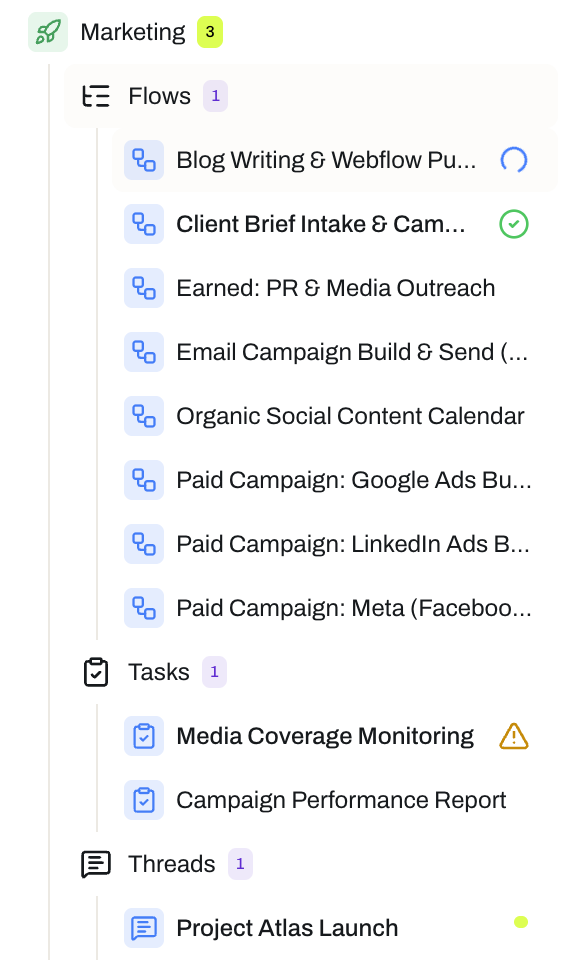
Multi-step processes with assignees and review gates.
Conversations between people and agents.
Single units of work, triggered manually or on a schedule.
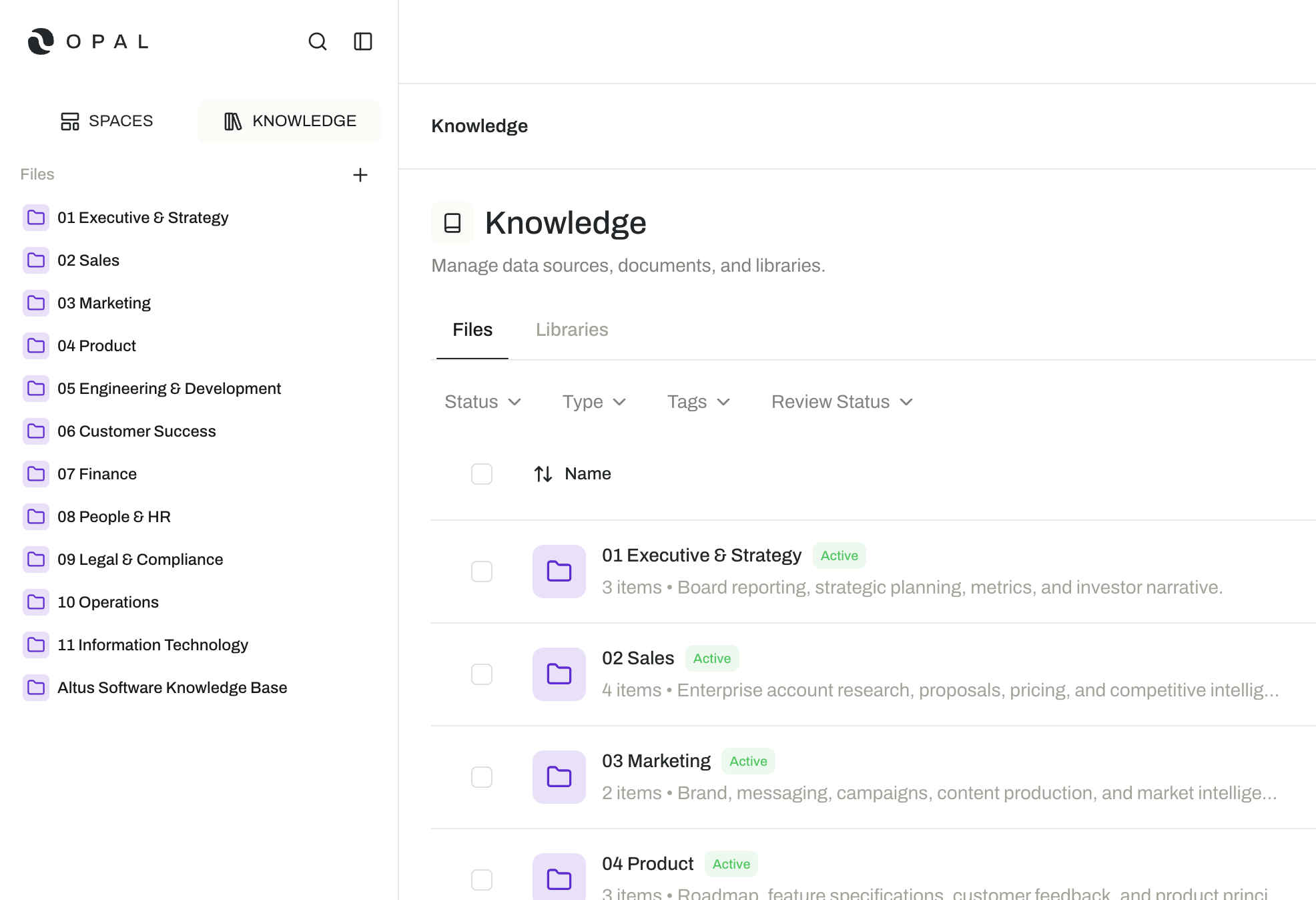
Files and folders added as grounding context.
Threads, tasks, and flows — the three ways work gets done
Inside a space, work happens in three ways. They differ mainly in how much of the work you direct live:
- Threads are conversations between people and agents, where you work together in real time. People and agents join a thread by being added to it; once an agent is in, you tag it with
@to invoke a response. Tag several agents in one message and they respond in the order you tagged them, so you control the sequence. Tagging a colleague notifies them and draws them into the same conversation. - Tasks are units of work assigned to an agent to run on its own, with their own instructions and optional agent or user reviewers. A task runs on the trigger that suits the work: manually, on a recurring cadence, at a scheduled time, or through an incoming webhook when another system fires an event.
- Flows are multi-step workflows that carry a process from start to finish. Steps run one at a time, each with an assignee — an agent or a person — instructions, and optional agent or user review. Flow-level context describes the overarching goal so every step works toward the same objective, and you can add extra context for an individual run.
For example, a marketing team might draft launch messaging with two agents in a thread, run a recurring task that checks campaign performance every few hours, and manage customer onboarding end to end as a flow — all in the same space.
Tasks and flows both keep a Run Log of every execution, so results stay traceable. Both can pause to request input when an agent needs more information, and both can use Continuous Learning to capture lessons from successful runs and improve over time. Flows are also built to absorb change: if requirements shift mid-run, you can reset the run and re-run it with the new requirements as context, and Opal reworks only the steps the change actually affects.
Knowledge — the shared source of truth
Knowledge is Opal's centralized knowledge base: a single, organized home for the documents, files, and shared context your organization relies on, structured as a familiar system of files and folders. Libraries offer a more flexible way to group related files and folders for a particular purpose.
You upload files or author documents directly in Opal. When you upload, Opal detects the file type and offers processing that makes the content usable — digitizing a scanned PDF into markdown, transcribing a recording, annotating an image or video, or extracting an embedded artifact into its own file. Every file can be viewed and edited in an interface suited to its format, and content stays controlled through version history, permissions, and a draft-to-published workflow.
To put knowledge to work, you add files and folders to a space. Agents working there can retrieve and use that content in threads, tasks, and flows, and can create or edit documents as part of their work. Opal also handles format differences for you: when an agent retrieves a file, Opal passes it natively if the agent's model supports that format, and supplies a text equivalent — such as a transcription — when it does not.
That is what makes knowledge operational infrastructure rather than a static repository: it is the same trusted material both people and agents act on.
Agents — the digital workers
Agents are Opal's digital workers. Each one is configured with a prompt that defines its role and how it should behave, the model that powers its reasoning (chosen directly with its parameters, or as a pre-defined model config), and the capabilities its work calls for — skills, connectors, tools, and widgets. Guardrails can be attached to what goes into an agent and what comes out of it, defining how flagged content is handled, for example by redacting, hashing, masking, or blocking it.
You put an agent to work by adding it into a space. From there it can collaborate in threads and be assigned to execute or review tasks and flow steps, working from the instructions given for that assignment. You direct agents in plain language, the same way you would brief a colleague, and you can review and refine their output at any point.
Because each agent can be specialized, several can contribute to the same piece of work — including one agent reviewing another's output before it is accepted.
Templates — reuse a proven starting point
Agent templates, task templates, and flow templates are reusable, pre-configured blueprints for creating agents, tasks, and flows. A template captures a configuration that already works — a prompt, model, and capabilities for an agent; instructions, assignments, reviewers, and a recommended trigger for a task; a full step sequence and context for a flow — so the next one starts from a proven baseline instead of a blank page.
Templates use {{ placeholders }} for the parts that change each time, and an agent template can give each placeholder an author-written description telling you what to enter. Whatever you create stays linked to its template, and updates never arrive unannounced: when a template changes, you choose when to sync.
Marketplace — build on other organizations' work
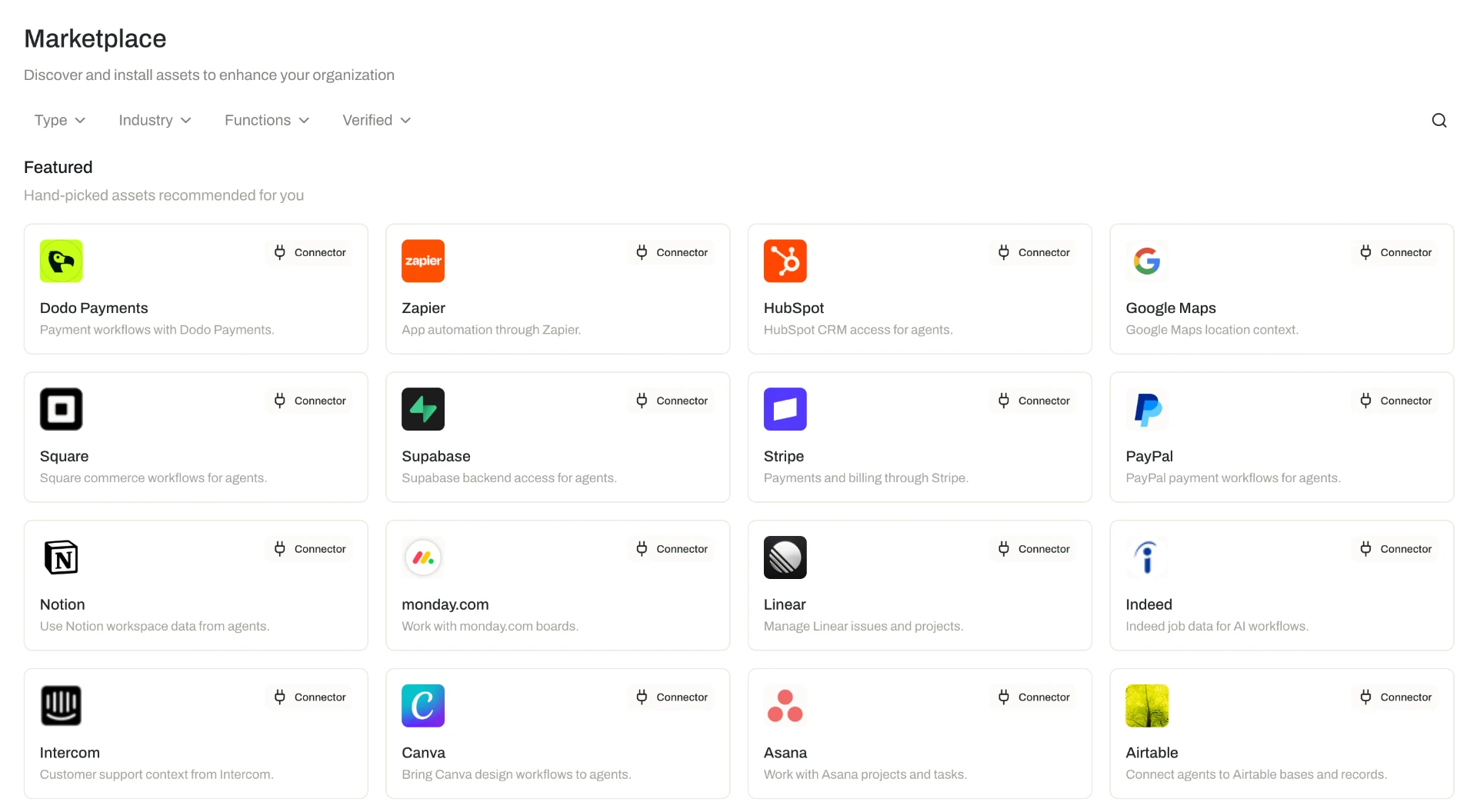
The Marketplace is where organizations publish the resources they have built and adopt resources built by others, including agent, task, and flow templates, skills, guardrails, connectors, tools, and widgets.
As a buyer, you browse, search, and filter listings, then add a resource to your organization — or, if you do not have permission to add resources yourself, request approval from an administrator. Listings can be free or paid; buyers are charged in credits. Sellers set up a Marketplace profile and payout settings first, then create listings, and are paid out in US dollars after Opal's service fee. A seller can request verification on a listing; when Opal reviews and approves it, the verified listing carries a trust signal that it has been checked for safety and against Opal's Marketplace policies.
Organization — your company's home on Opal
Your organization is a single tenant on Opal: the top-level container holding its members, teams, roles, resources, and organization-wide settings. Administrators manage it from a central Organization Settings area, which covers:
- Profile and preferences — the organization's name, logo, preferences, and notification settings.
- Members and access — inviting members, approving join requests, verified email domains that let people discover and request to join, teams and nested child teams, and role-based access control using preset or custom roles assigned to members or teams.
- Security — enforcing multi-factor authentication for all members, and SAML single sign-on on the Enterprise plan.
- Billing and credits — the billing profile, payment methods, subscription plan, and seats, plus credits through one-time top-ups, recurring subscriptions, automatic top-ups below a set threshold, and billing alerts.
- Configuration and oversight — organization-wide resource tags, webhooks that subscribe to platform events, the audit log of organization activity, and the organization's Marketplace profile, listings, and payouts.
Governance — oversight across everything
Governance is the standardized set of controls Opal applies across its resources. Wherever a control is available it works the same way, though not every resource supports every control:
- Permissions and sharing — share a resource with members or teams at a permission level suited to the resource type (available on the Business and Enterprise plans).
- Versioning — work in a draft, publish it as a new version, and restore any previous version from version history as a new draft.
- Activity log — a record of what changed and who changed it; the organization-wide view of that record is the audit log.
- Linked resources — see where a resource is used before you change it.
- Publishing workflow — optionally require review and approval before a new version goes live.
- Resource tags — classify resources with organization-defined tags, and filter to everything carrying a given tag.
Governance is built in from the start rather than added afterwards, because a digital workforce can only scale on a foundation of trust.
How the areas fit together
The areas stack in a fairly natural order:
- You configure agents from models, skills, connectors, tools, widgets, and guardrails, and you build up knowledge as your shared source of truth.
- You bring both into a space, along with the people involved.
- Work then happens in that space — live in threads, on its own in tasks, and step by step in flows — carried out by the space's agents and grounded in its knowledge.
- Templates and the Marketplace shorten steps 1 and 2 by giving you a proven starting point instead of a blank page.
- Around all of it, your organization defines who belongs and what they can do, and governance keeps changes reviewable, traceable, and reversible.
Agents
How these concepts interrelate as a single operating model is explained in full in Mental Model.
Where to Start
- Try it yourself. The Quickstart is the hands-on follow-on to this tour, walking you through your first agent, knowledge, space, thread, task, and flow — Quickstart.
- See how the pieces relate. Mental Model draws the areas above into one operating model — Mental Model.
- Go deeper on anything. Core Concepts covers every area of the platform in the depth this page deliberately leaves out — Core Concepts.
If you will be setting Opal up for your organization, start instead with the organization pages, which cover members, teams, roles, security, billing, credits, and governance — Organization.
If a term is unfamiliar at any point, look it up in the Glossary.