
Organization
The top-level container for your members, teams, roles, resources, and organization-wide settings — and where it all gets administered.
Everything in this subsection is organization-level administration — the organization's profile and preferences, its members, teams and roles, its security settings, its billing and credits, its org-wide configuration, and its governance — so what you can see and change depends on your organization's plan and the role permissions you have been granted. The access model is documented in one place: Access & Permissions.
Purpose
Your organization is a single tenant on Opal — the top-level container that represents your company and holds its members, teams, roles, resources, and organization-wide settings. Everything else in Opal happens inside it.
This subsection covers the administration of that container: who belongs to it, what they can do, how it is secured, how it is configured, how it is funded, and what record it keeps. Five questions, and one page or cluster for each:
- What is this organization? — its profile and preferences.
- Who is in it, and what can they do? — members, teams, roles, and security.
- What is it paying for, and what funds the work? — billing, subscription, and credits.
- How is the platform set up for everyone? — resource tags, variables, and webhooks.
- What is allowed, and what happened? — the access model and the audit log.
Almost all of it is managed from Organization Settings, the central area where an organization's profile and preferences, security, membership, teams and roles, billing, and credits are administered. That matters in practice: setting someone up rarely means one change in one place, and having it all in a single area is what keeps a rollout — or a joiner, or an access review — from turning into a tour of the product.
Every member belongs to an organization, but these management capabilities are used primarily by people with administrative responsibility: organization owners and administrators, and the IT, security, finance, and operations staff who run the company's presence on Opal.
There is a reason this work comes first. Opal treats governance as a foundational, cross-cutting characteristic of the platform rather than something added after deployment, because a digital workforce only scales on a foundation of trust — as agents gain access to real information, real systems, and real decisions, oversight and accountability are what make that safe. Organization administration is where that foundation is actually laid: a small number of deliberate decisions about identity, people, funding, configuration, and oversight that everything built afterwards operates inside.
This page is the map. It introduces each page and cluster in this subsection, explains how they fit together, and tells you where to start.
- Identity
- Defaults
- People
- Teams
- Roles
- Security
- Plan
- Seats
- Usage balance
- Tags
- Variables
- Webhooks
- Access
- Audit
In This Section
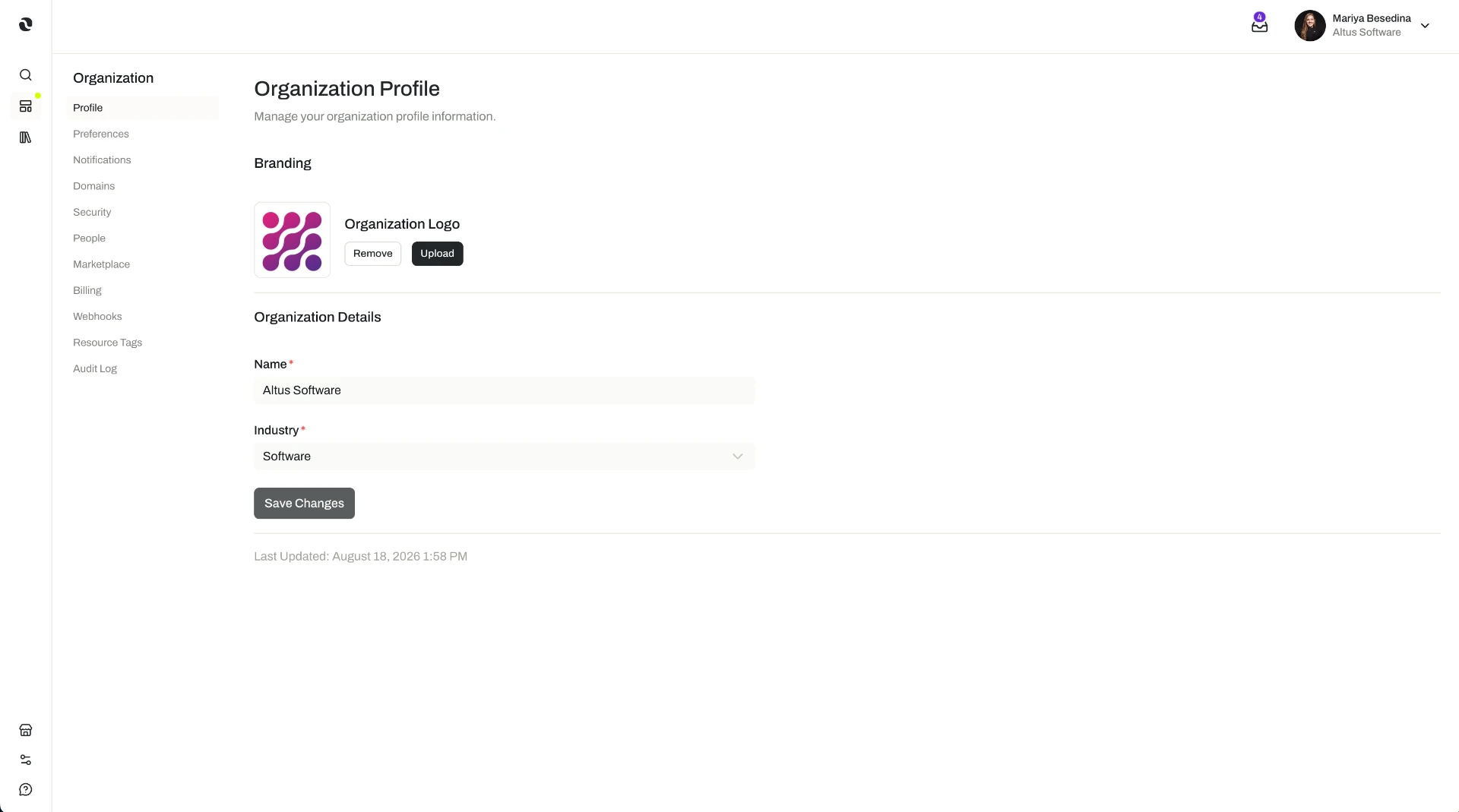
- Profile & Preferences — The organization's identity inside Opal — its name and logo — and the organization-wide preferences, including notification settings, that are set once for everyone. Profile & Preferences
- Members & Access — Cluster. The people side of the organization: who is admitted, how they are grouped, what they are allowed to do, and how they sign in. Members & Access
- Members — How people join: direct invitations, verified email domains that enable auto-discovery, and the join requests administrators approve. Members
- Teams — How to group members into teams and nested child teams, and hand access to a team rather than person by person. Teams
- Roles & Permissions (RBAC) — How preset and custom roles work, and how they are assigned to members or whole teams to determine what each can do. Roles & Permissions (RBAC)
- Security — The organization-wide controls over admission and sign-in: enforced multi-factor authentication, SAML single sign-on on the Enterprise plan, and verified email domains. Security
- Billing & Credits — Cluster. The money side: what the organization is subscribed to, how it pays, and how it funds the work its people and agents run. Billing & Credits
- Billing & Subscription — The billing profile, payment methods, subscription plan, and seats, and what the plan unlocks. Billing & Subscription
- Credits — How credits fund usage: the balance and its transactions, one-time top-ups, recurring credit subscriptions, automatic top-ups below a threshold, and billing alerts. Credits
- Platform Configuration — Cluster. How the platform itself is set up for everyone: shared labels, shared values, and connections out to the systems your company already runs. Platform Configuration
- Resource Tags — How to define organization-wide tags, choose the resource types each applies to, and filter to everything carrying a tag. Resource Tags
- Variables — How to store tokens, credentials, and configuration values once, and reference them when configuring MCP Connections, Tool Definitions, and Webhooks. Variables
- Webhooks — How to create webhooks that subscribe to platform events and send them to external systems, and how to use the request log. Webhooks
- Governance — Cluster. Oversight: what people and agents are allowed to do, and what record exists of what they did. Governance
- Access & Permissions — The single canonical page for Opal's access model: the three gates of plan, role permissions, and resource permissions, and how to diagnose an action that is unavailable. Access & Permissions
- Audit Log — How to review the record of your organization's activity in Organization Settings: what changed and who changed it. Audit Log
Key Concepts
The organization is the boundary around everything. Members, teams, roles, resources, and organization-wide settings all belong to one organization. So when you set something at this level — a verified email domain, a role, a resource tag, a credit balance — you are setting it for everyone and everything inside that boundary. That is what makes these decisions worth making deliberately, and worth making once.
One place to administer it: Organization Settings. The profile and preferences, security, membership, teams and roles, billing, and credits are all managed from the same central area. Variables are managed in the Variables section rather than in Organization Settings, so Platform Configuration is the one part of this subsection that is not entirely in one place.
Being admitted, being allowed, and being paid for are three different things. Security settings decide who can get in and how they authenticate. Roles decide what a member can do once they are in. The subscription plan decides what the organization can use at all. None of the three substitutes for the others, which is why "why can't I do this?" so often has an answer nobody guessed — see Access & Permissions.
Access is decided by three gates. Whether an action is available depends on your organization's subscription plan, the role permissions granted to you through a role assigned to you or to a team you belong to, and the permission level you hold on the individual resource you are working with. All three have to allow it. This subsection is where the first two are administered; the model itself is documented once, on the canonical page above.
Structure now saves work later. Teams and roles exist so that access can be described in terms of how the company works rather than person by person, and resource tags exist so a growing library of agents, skills, and flows stays navigable. Both are cheap to set up early and progressively more awkward to retrofit.
Governance runs through all of it, and beyond it. Permissions, approvals, versioning, and auditability apply across Opal's resources, not only at organization level. This subsection holds the organization-wide view: the access model and the audit log. The resource-level controls — sharing at a permission level, drafts and versions, linked resources, tags, and the optional publishing workflow — are introduced in Governance.
Some organization-level settings live in the Marketplace section. An organization's marketplace profile, listings, and payouts are managed at organization level too, but they are documented with the rest of the Marketplace, because they concern an audience outside your organization: Marketplace.
Prices, plan tiers, and credit rates are not published in this documentation — check Organization Settings for what applies to your organization. Short definitions of the terms used here are in one place: Glossary.
Where to Start
If you are setting up a new organization, start with Profile & Preferences. It is short, it has no prerequisites, and it is what gives the organization its own identity before anyone else joins.
From there, work through the subsection in rollout order. Each stage assumes the one before it is in place:
- Profile & Preferences — set the organization's name and logo and its organization-wide preferences. Profile & Preferences
- Members & Access — get the right people in, group them into teams, grant roles, and align sign-in with your company's security standards. Members & Access
- Billing & Credits — settle the plan and payment method, then fund usage with credits and switch on billing alerts. Billing & Credits
- Platform Configuration — agree the tags your organization will classify resources with, store the values its integrations need, and send the events other systems should hear about. Platform Configuration
- Governance — learn the access model in full, and get into the habit of reading the audit log. Governance
If your organization is already running and you are here for one thing — adding a joiner, moving someone between teams, updating a card, topping up the balance, rotating a credential, checking who changed a setting — go straight to the page that covers it in the list above.
If you are here because something is unavailable to you or a colleague, start with Access & Permissions. It is the canonical page for the access model, and identifying which of the three gates is responsible is what turns a guess into a deliberate fix.