
Automate a Weekly Status Report
Turn a hand-written weekly report into a recurring agent task that's reviewed before anyone sees it.
Goal
Take a report that someone writes by hand every week and hand it to an agent as a recurring task — so it is produced on a cadence, checked before anyone reads it, and recorded every time it runs.
A task is the right home for work whose shape is settled. You are not directing it as it unfolds, the way you would in a thread; you describe the work once, decide when it should start, and the agent takes it from there. The instructions stay with the task, so the agent is briefed identically on the first run and the fiftieth.
The example used throughout is a weekly project status report. A delivery lead currently spends the first part of every Monday assembling the same four things — what shipped last week, what slipped, the risks worth naming, and where the team's attention goes next — from the same handful of sources. Nothing about that work needs judgment in the moment. It needs to happen, reliably, every week.
By the end you will have practiced:
- writing task instructions precise enough to produce the same report every week
- assigning the task to an agent and giving it the material the report depends on
- deciding how much oversight the output needs, with an agent reviewer and a user reviewer
- proving the task once by hand, then putting it on a recurring cadence
- following runs in the Run Log and letting the task improve as it repeats
This guide assumes you already know what tasks, agents, spaces, and knowledge are, and points to those pages rather than repeating them.
Prerequisites
A task lives in a space, so you need access to the space you are working in, and the permission level you hold there — Manage, Access, or View — sets what you can do: creating the task, adding the agent that runs it, and adding the knowledge it draws on all depend on it. Sharing that space and its resources with colleagues relies on resource sharing and permissions, available on the Business and Enterprise plans. The access model is documented in one place: Access & Permissions.
- The first-time walkthroughs behind you. This guide starts where the Quickstart ends. If you have not yet built an agent, added knowledge, created a space, and run a task or a thread, work through Quickstart first.
- A space for the work, holding what the report depends on. A task draws on its space's knowledge and resources by default, so the material behind the report — project notes, previous reports, a connector to the system the team tracks delivery in — belongs in the space before the task runs. See Spaces.
- An agent in that space that can do the writing. Adding an agent into a space is what makes it available to be assigned work there. The agent needs a prompt suited to reporting and whatever capabilities the report requires. See Agents.
- Somewhere for the report to land. An agent can create and edit documents in Knowledge as part of completing a task, so a folder in the knowledge base is the natural home for a report that people will come back to week after week. See Knowledge Overview.
- A report that genuinely repeats. Same questions, same sources, same shape, every week. Work whose shape changes each time is better directed live in a thread — see Collaborate on a Project in a Shared Thread.
Steps
1. Write down the report you want, before you touch the product.
The quality of a recurring task is decided almost entirely by how precisely you can describe its output. Write the report's sections, the questions each one answers, and the sources each one comes from. If you can hand that description to a new colleague and get back the report you had in mind, it is specific enough for an agent.
For the status report, the delivery lead settles on four sections: shipped last week, slipped and why, risks to call out, and focus for next week — each drawn from the team's project notes in the space and the delivery data behind its connector.
2. Make sure the space holds everything the report depends on.
Open the space and check that the knowledge, connectors, and tools the report needs are in it. Anything added at the space level is available to every agent and every piece of work there, so this is the moment to add a shared source once — rather than discovering on the first run that the agent could not reach half of what the report requires.
3. Pick the agent that will write it.
Choose an agent whose prompt and capabilities match the work: it needs to read the team's material, apply a consistent structure, and write in a register your stakeholders recognize. A narrow agent is better here than a general one, because it produces the same shape of output every week without being re-briefed.
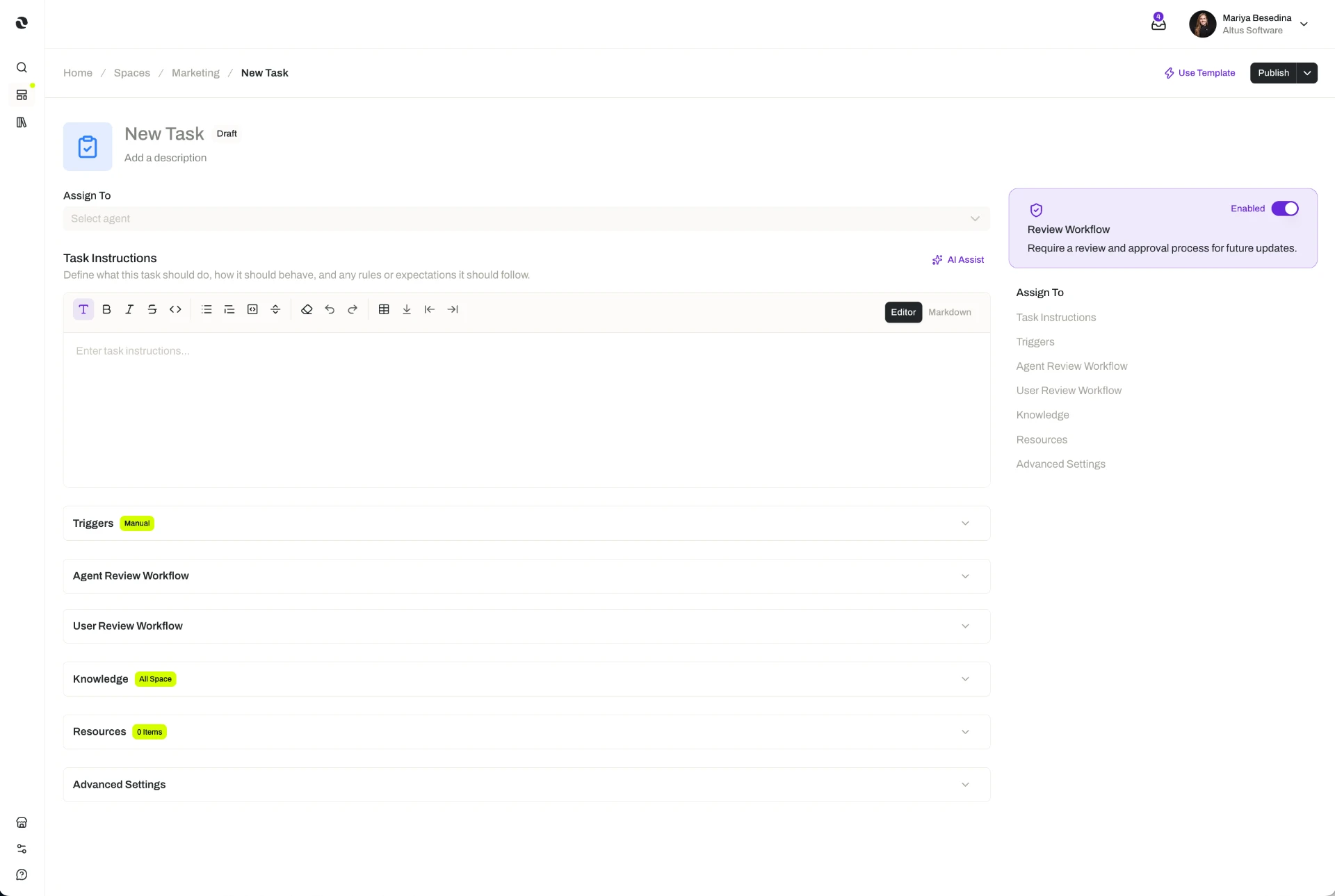
4. Create the task and write its execution instructions.
Create the task in the space and assign it to that agent. Its execution instructions are the brief the agent follows on every run, so put your step 1 description into them — the sections in order, the sources for each, the length you want, and where the finished report should go.
"Compile the weekly delivery status report. Use the project notes in this space and the current delivery data. Produce four sections in this order: shipped last week; slipped, with the reason; risks to call out; focus for next week. Keep each section to five bullets or fewer. Save the report as a new document in the Weekly Status folder in Knowledge, titled with the week ending date."
Say what the agent should do when something it needs is missing, too. With Request Input, the agent can pause mid-run and ask for the information rather than guessing at it — worth turning on when a gap would otherwise produce a confidently wrong report.
5. Attach anything only this task needs.
The task can already use the space's resources and its agent's own, which covers most of what a report requires. When this one task needs something the rest of the space should not have — a specific knowledge folder, a skill that encodes your reporting standards, a connector, a tool, or an input or output guardrail — attach it directly to the task instead of adding it to the space.
6. Decide how the output is checked.
Reviewers are optional, and you can add an agent reviewer, a user reviewer, both, or neither. Each follows its own review instructions.
For a report that goes to stakeholders, the delivery lead uses both:
- an agent reviewer, instructed to check that all four sections are present, that every claim traces to a source in the space, and that nothing contradicts last week's report — a second pass on every run without asking a colleague for one
- a user reviewer — the lead themselves — so a named person sees the report before it is treated as final and can request changes when the agent has missed something
Size this to the work. A low-stakes internal summary can run with no reviewer at all. The point of a task is that nobody has to do the work, not that nobody sees it.
7. Prove the task once, by hand.
Before putting the report on a cadence, set the trigger to Manual and run it yourself. Read what comes back against your step 1 description, then tighten the instructions where the output drifted — a missing section, a wrong level of detail, a source the agent did not use. Two or three manual runs usually settle it.
This costs you nothing later, because the trigger is the only thing that changes between a one-off and a recurring task. The agent, instructions, reviewers, and attached resources you have just proved stay exactly as they are.
8. Switch the trigger to recurring.
Change the trigger to Recurring and choose a weekly cadence. From that point the report is produced without anyone remembering to produce it.
The other trigger types exist for different shapes of work, and it is worth knowing why you are not using them here: Manual for a run you start yourself, Schedule for work that should happen once at a specific date and time or after a relative amount of time, and Webhook for work that should start when an external system says so. A weekly report is the plainest case for Recurring.
9. Let the task improve as it repeats.
Turn on Continuous Learning so lessons from each successful run are captured and later runs benefit from them. A report that runs every week should not start from the same standing position every week.
10. Check on the runs, not the work.
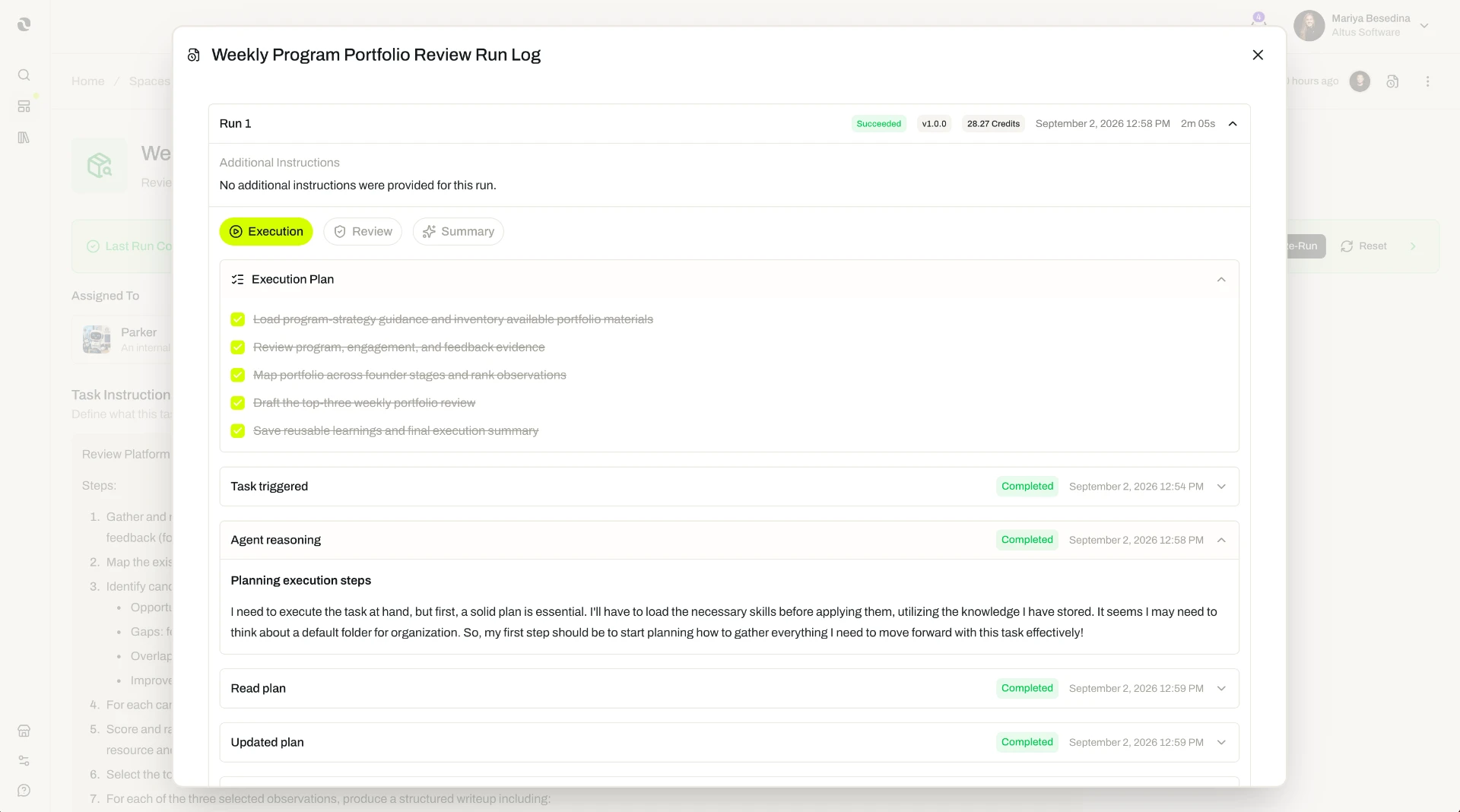
Every execution is written to the task's Run Log, so your weekly involvement changes from writing the report to glancing at whether it ran and reading it as the user reviewer. When a stakeholder asks for a change — a fifth section, a different level of detail — edit the task's instructions rather than the output, and the change holds from the next run onward.
If other teams want the same report for their own projects, package what you have built as a task template: it captures the instructions, the assignment, the reviewers, the recommended trigger, and the attached resources, so the next team starts from a proven setup instead of a blank one.
Result
You have turned a standing piece of manual work into a recurring task. Specifically:
- A report that produces itself. The task runs on a weekly cadence with nobody starting it, and the agent works from the same instructions every time — so the report arrives in the same shape whether it is week one or week fifty.
- Grounded in your own material. The agent draws on the space's knowledge and resources, and on its own, so the report reflects your projects and your sources rather than a general summary of nothing in particular.
- Oversight sized to the stakes. An agent reviewer checks every run against your standards; a user reviewer keeps a named person accountable for what goes out. Neither of them has to assemble the report to do that.
- A record of every run. The Run Log makes each execution traceable, so unattended work is still accounted for.
- Better with age. Continuous Learning turns each successful run into something the next run can use.
- Reusable. The setup can be packaged as a task template and handed to the next team that needs the same report.
- Time back where it matters. The time that went into assembling the report each week now goes into acting on it.
This is what expanding capacity looks like in practice: the work that has to happen keeps happening, on its own cadence, while your people spend their attention on the decisions it surfaces.
Related Guides
- Tasks — The full picture of task instructions, reviewers, triggers, attached resources, Request Input, Continuous Learning, and the Run Log. Tasks
- Agents — How an agent is configured and specialized, and everything it can be assigned to execute or review. Agents
- Spaces — What a space holds, how space-level resources are shared with everything running there, and how its permission levels work. Spaces
- Knowledge Overview — The knowledge base a task draws on, and where an agent can create and edit the documents it produces. Knowledge Overview
- Collaborate on a Project in a Shared Thread — The previous guide: directing several people and agents live, for work whose shape is still forming. Collaborate on a Project in a Shared Thread
- Build a Content Review & Approval Workflow — The next guide: carrying a process through a defined sequence of steps, with people and agents assigned to each one. Build a Content Review & Approval Workflow