
Threads
A thread is a conversation between people and agents, created inside a space — the conversational workspace of Opal.
A thread lives inside a space, so you need access to that space to open a thread or take part in one, and the permission level you hold there — Manage, Access, or View — sets what you can do. Bringing colleagues into a space so they can join your threads relies on resource sharing and permissions, available on the Business and Enterprise plans. The access model is documented in one place: Access & Permissions.
Overview
A thread is a conversation between people and agents, created inside a space. It is the conversational workspace of Opal — the place where you and your agents work side by side in real time, asking questions, directing work, and moving something forward through live back-and-forth.
The format is deliberately familiar. If you can hold a group conversation with colleagues, you can run a thread: type what you need, mention the agent you want to hear from, read the response, and adjust from there. Nothing has to be specified perfectly up front, because you are steering the work as it happens.
That makes a thread the right choice when the shape of the work is still forming — when you are thinking a problem through, want to direct an agent step by step, or need several agents and several colleagues looking at the same question together. Work that should run without anyone directing it belongs in a task, and a process that needs a defined sequence of steps belongs in a flow.
Two ideas explain almost everything on this page:
- You take part in a thread by being added to it. Both people and agents are participants once they have been added.
- You tag with
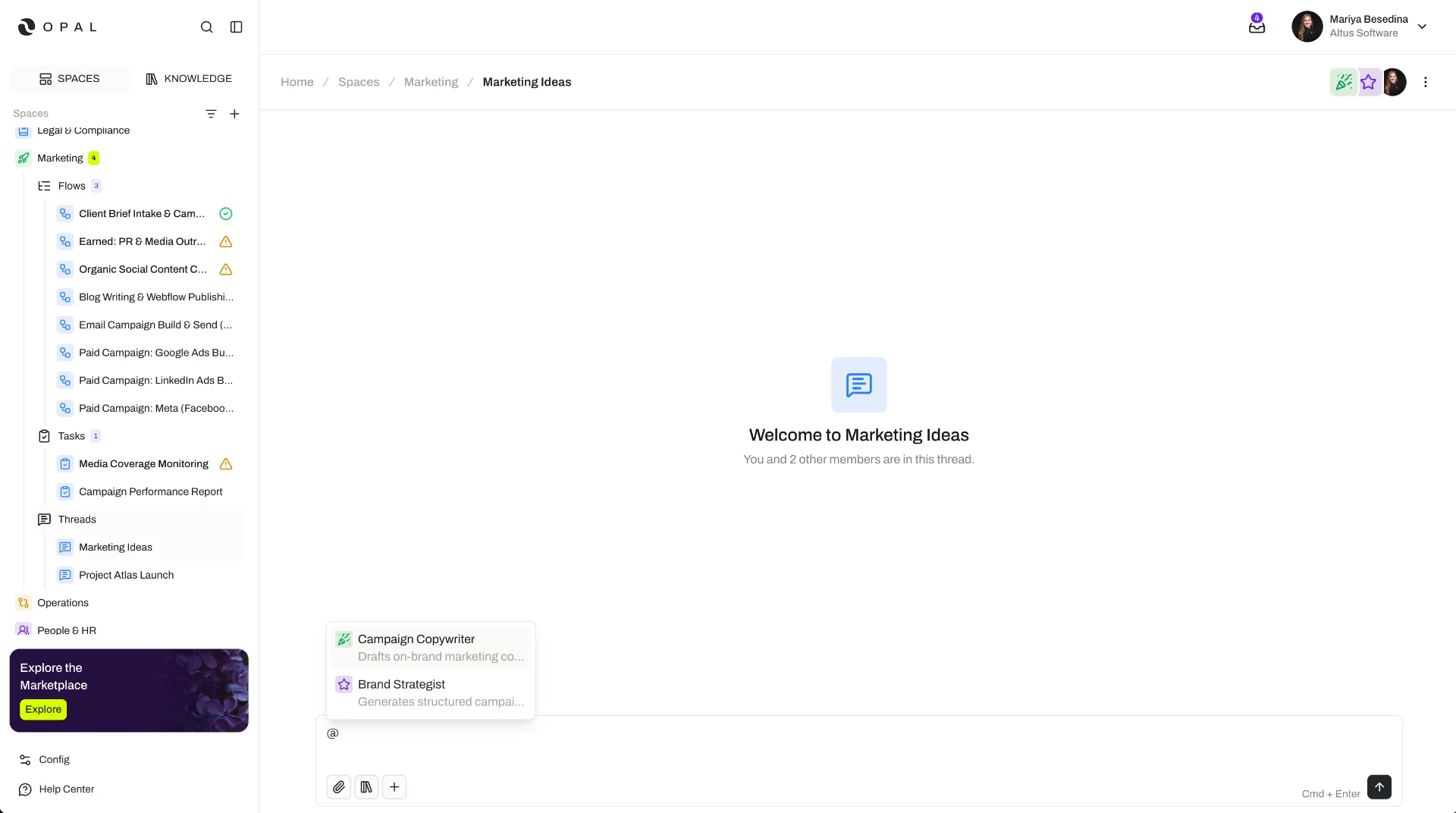
@to get a response. Tagging an agent invokes it to answer; tagging a colleague notifies them and pulls them in.
Key Capabilities
- Hold the conversation where the work lives. Threads are created inside a space, so the conversation sits with the team's agents, knowledge, and capabilities.
- Add the participants you need. Add users and agents to a thread so they can take part in the conversation.
- Invoke an agent with a tag. Tag an agent with
@to ask it to respond. - Decide who answers, and in what order. Tag several agents in one message; they respond in the order you tagged them.
- Pull colleagues in. Tag a person to notify them and draw them into the same conversation.
- Change direction as you go. Collaborate in real time and adjust the work as the conversation unfolds.
- Get grounded answers. Every agent responds using the space's knowledge along with its own capabilities.
How it Works
Create the thread inside a space. A thread always belongs to a space, and it inherits that space's context: the knowledge stored there and the capabilities the space makes available to the agents working in it.
Add the people and agents who will take part. Participation comes from being added to the thread, not from being tagged in it. Add the agents whose expertise the conversation needs and the colleagues who should be part of it — then everyone is in the room before the work starts.
Tag an agent to invoke a response. Once an agent is a participant, tagging it with @ asks it for a response. Think of tagging as the difference between someone being in the meeting and someone being asked to speak: the agent is already there, and the tag is you turning to it.
Tag in the order you want answers. You can tag more than one agent in a single message, and they respond in the order they were tagged. That single detail gives you a lot of control, because you can line up a sequence in one go — ask one agent for the analysis and the next to build on it, and the responses arrive in that order.
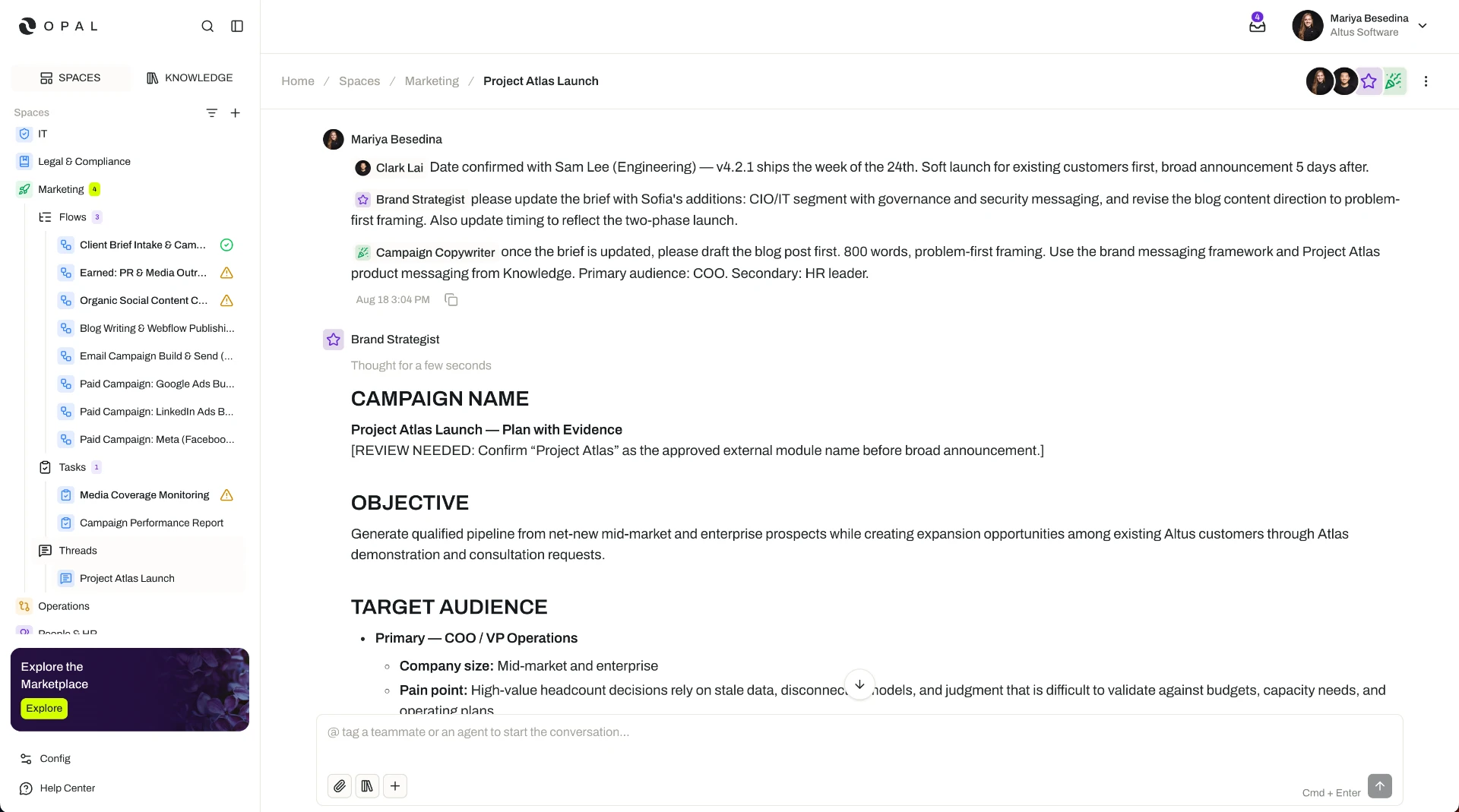
Tag a person to bring them in. Tagging a user sends that person a notification, drawing them into the conversation. Several people can then work alongside the agents in the same thread rather than each running a separate conversation of their own.
Let the agents draw on what they have. When an agent responds, it can use the knowledge available in the space as well as its own capabilities — its skills, connectors, tools, widgets, and guardrails. Each agent therefore brings two things into the conversation: the shared context of the space, and whatever it has been individually equipped to do. An agent can also present an interactive widget in its response, so some answers arrive as something you can work with rather than only text to read.
Additional Notes
- One conversation beats four. When several people share a thread, they work from the same exchange and the same agent responses. Nobody repeats a question that has already been asked, and the shared conversation also uses tokens more efficiently than running the same work in parallel conversations.
- Several specialists, one problem. Because each agent can be specialized for a distinct role, adding a few of them to one thread brings different kinds of expertise around the same question — rather than asking one general-purpose agent to cover everything.
- Answers stay consistent with the space. Agents in a thread work from the space's knowledge and within the guardrails and capabilities attached there, so a live conversation stays grounded in the same information and boundaries as the rest of the team's work.
- Choosing between a thread, a task, and a flow. Use a thread when you want to direct the work live and react to what comes back. Use a task when the work should run on its own without a person in the conversation. Use a flow when the work is a multi-step process that needs a defined sequence and review along the way.
Related Features
- Spaces — The operational environment a thread is created in, providing the knowledge, capabilities, and access context the conversation runs in. Spaces
- Tasks — Units of work assigned to an agent to run on their own, for work that does not need to be directed live. Tasks
- Flows — Multi-step workflows that carry a process from start to finish, each step with an assignee and optional review. Flows
- Agents — The digital workers you add to a thread and then tag for a response; each brings its own capabilities into the conversation. Agents
- Access & Permissions — The full access model behind plans, role permissions, and the permission levels granted in a space. Access & Permissions