
Models
Every agent is powered by a model — the intelligence behind its reasoning. Choosing that model shapes everything the agent does.
Which models your organization can use depends on your plan and on the models an administrator has left enabled, and whether you can create or change a model config depends on the role permissions you have been granted and the permissions set on the resources involved. Sharing a model config with other people relies on resource sharing and permissions, available on the Business and Enterprise plans. The access model is documented in one place: Access & Permissions.
Overview
Every agent is powered by a model — the underlying intelligence behind its reasoning. Choosing that model is one of the few decisions that shapes everything an agent does: how well it handles the work, what kinds of files it can take in, what it can produce, and what each piece of work costs.
Opal makes that decision a short one. The models catalog brings leading language models together in a single place — from providers including Anthropic, OpenAI, and Google — with each model's specifications, capabilities, supported modalities, and cost in Opal credits shown side by side, so you can compare candidates and commit with confidence. Opal's team keeps the catalog current, monitoring for newly released and deprecated models so you are always choosing from supported, available options rather than tracking provider announcements yourself.
The second half of this page is about not having to make the decision twice. A model config is a saved preset that pairs a model with a defined set of parameter values. Whoever knows the models best sets one up once; everyone else builds on it. That is how a small number of people who understand parameters can raise the quality of every agent the organization builds — and it is documented in the Model Config subsection under How it Works, below.
Key Capabilities
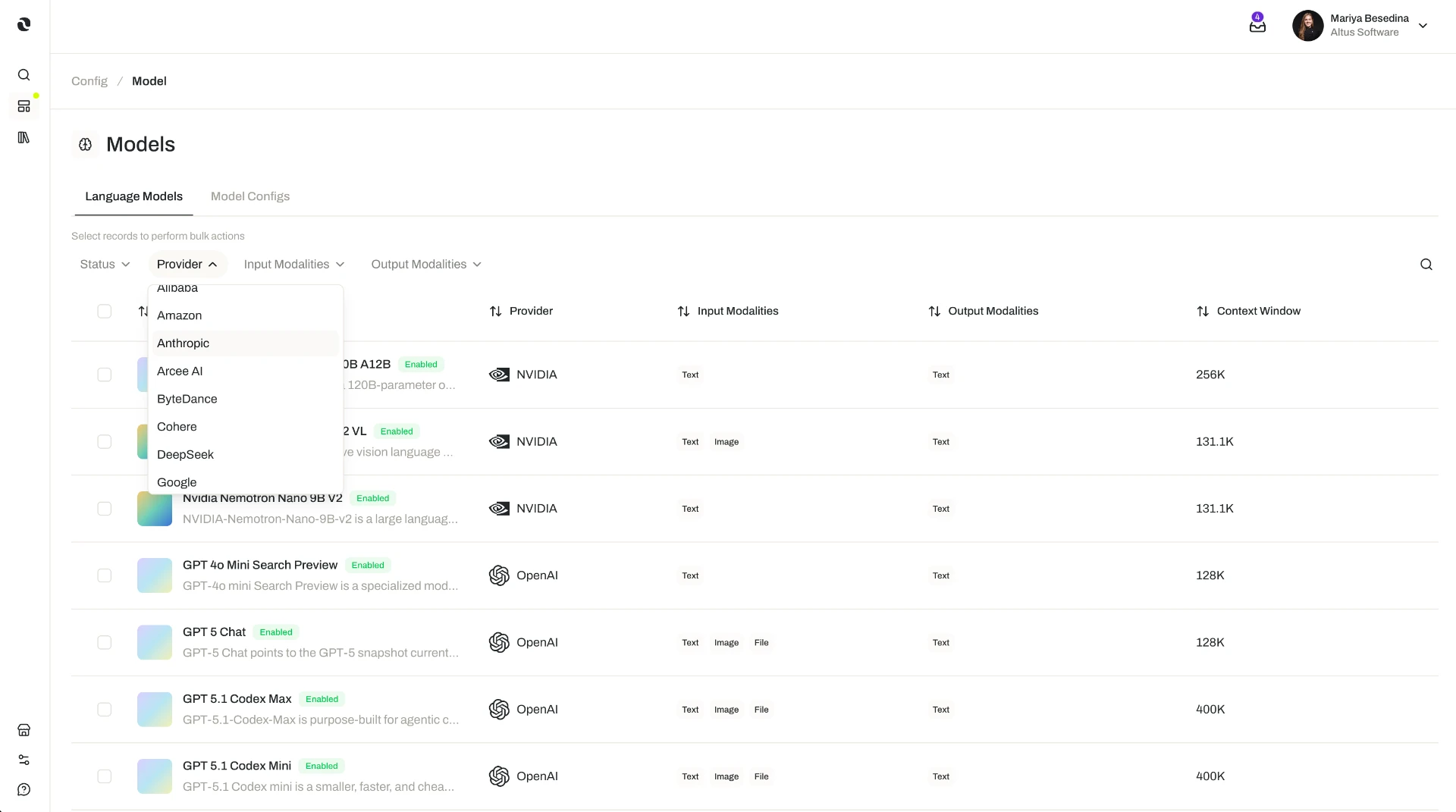
- Browse a curated catalog. Explore language models from leading providers, including Anthropic, OpenAI, and Google, in one place.
- Search and filter to a shortlist. Search by name, or filter by provider and by the input and output modalities a model supports — text, image, audio, video, and file.
- Compare before you commit. Open any model to review its specifications, capabilities, and model parameters.
- See cost in familiar terms. Each model's token costs are shown in Opal credits, so pricing can be compared across providers without converting anything.
- Trace where a model is used. A model lists its linked resources — the model configs, agents, and agent templates that depend on it — so the impact of a change is visible before you make it.
- Build straight from the catalog. Use a model as the basis for creating an agent or an agent template.
- Govern what members can use. Administrators can disable specific models at the organization level, keeping model usage aligned with internal standards.
- Save a configured model for reuse. Capture a model and its parameter values as a model config, then apply that same setup to any agent or agent template.
- Standardize without expertise. People who are not sure which model to pick, or what a parameter does, can select a ready-made model config prepared by a technical colleague.
How it Works
1. Narrow the catalog to realistic candidates. Open the models catalog and search by name, or filter by provider and by the input and output modalities you need. Modality filtering is the practical one: if your agent has to read images or listen to recordings, filter to models that accept those inputs; if it needs to produce images as well as text, filter on output modality too.
2. Compare the shortlist. Open a model to review its specifications, capabilities, and model parameters, and to see its token costs expressed in Opal credits. Cost is worth weighing against volume rather than in isolation — a small difference per interaction matters a great deal for an agent that triages every inbound message, and very little for one that runs weekly.
3. Check what already depends on it. Every model lists its linked resources: the model configs, agents, and agent templates built on it. This is the view to open before changing or disabling anything, because it tells you exactly who is affected.
4. Put the model to work. When you find one that fits, use it directly to create an agent or an agent template — or save it as a model config first, so the same setup can be reused. Agents covers how the model fits alongside the rest of an agent's configuration.
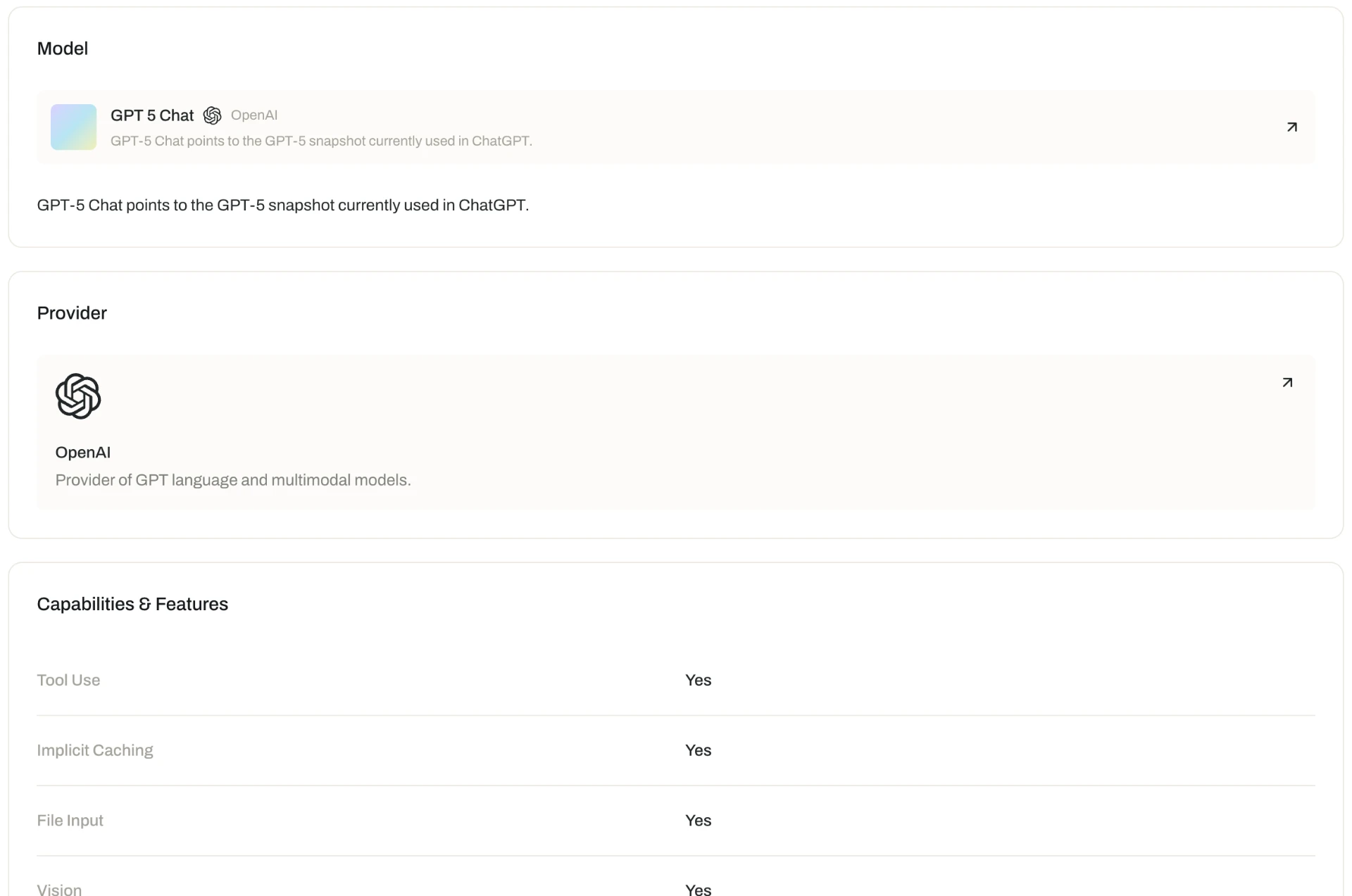
What a model detail view tells you
Enough to choose on capability and on cost, in one screen.
| What it covers | |
|---|---|
| Specifications | Provider, context window, and version |
| Capabilities | The modalities the model supports natively |
| Parameters | The settings you can tune, and their ranges |
| Token cost | Priced in Opal credits, at cost |
| Linked resources | The agents and model configs already using it |
What Opal handles for you. Three things happen without configuration:
- The catalog stays current. Opal's team monitors for newly released and deprecated models and maintains the catalog accordingly.
- Token costs are optimized. Token caching and other optimizations are applied automatically to reduce token costs — there is nothing to tune.
- Zero data retention is applied where available. When a model that supports zero data retention is used, Opal enables it automatically. Zero data retention is available for select models and providers only; the current policy details are published on Opal's website.
Organizational control. Administrators can disable any model they do not want members to use, so builders only ever choose from vetted options. Reviewing a model's linked resources first shows which model configs, agents, and agent templates currently depend on it, so a change can be coordinated rather than discovered.
A model's modalities shape what an agent can read. When an agent retrieves a file from its space, Opal routes that file according to what the agent's model accepts: natively if the model supports the file's format as an input modality, and as a text equivalent — a transcription, for example — if it does not. In practice this means a text-only model still works with a knowledge base full of recordings and scans, provided those files have been processed. See Knowledge for Agents for how retrieval works, and File Processing for how text equivalents are produced.
Model Config
A model config is a reusable preset that pairs a specific model with a defined set of parameter values. It lets you capture a configured model once and apply it consistently when building agents and agent templates, instead of re-selecting a model and re-entering parameters every time.
It exists to solve a split that most teams have. Some people know exactly which model suits a kind of work and what each parameter does; most people do not, and should not have to. A model config lets the first group make the decision once, and the second group benefit from it without learning the underlying detail.
Creating one:
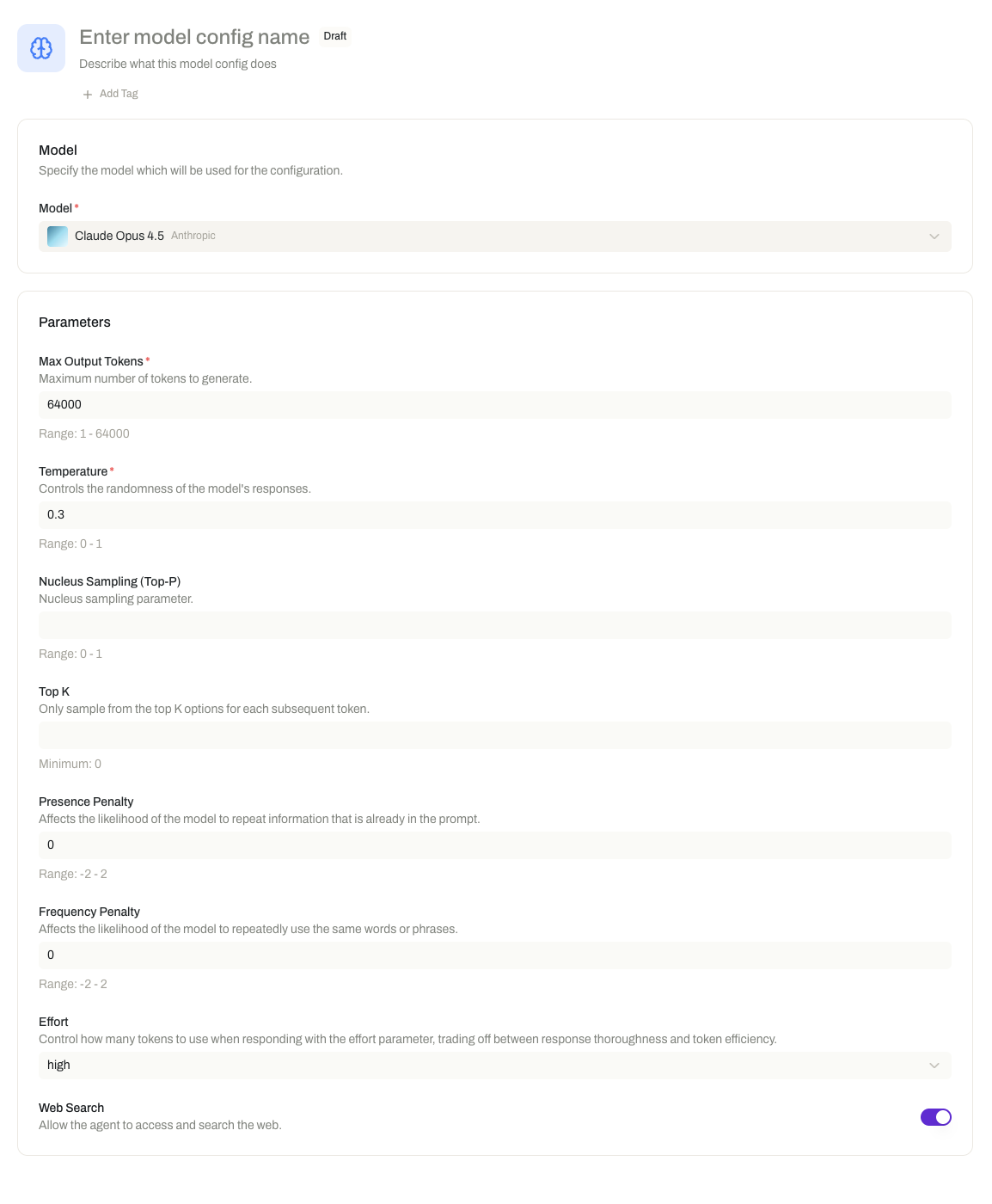
- Go to the Model Config section.
- Select the model you want the preset built on.
- Specify the model parameter values.
- Save the model config.
Once saved, it can be selected when creating an agent or an agent template, so the same model and parameter settings are applied without anyone reconfiguring them by hand. Saved model configs also appear among a model's linked resources in the catalog, so you can always see which presets a given model underpins.
What it gives you:
- Consistent behavior across agents. The same model and parameter values apply everywhere the config is used, so agents built from it behave alike.
- Less repetitive setup. Define the configuration once and reuse it, rather than re-entering it for each new agent or template.
- A repeatable standard. Organizations can establish approved model-and-parameter combinations that act as a reliable starting point for new work.
Additional Notes
- The catalog changes over time. Providers release new models and deprecate old ones, so what is available shifts. Check the catalog for the current list rather than relying on a remembered set of options.
- Modality is a requirement, not a preference. If an agent's work depends on reading images or hearing audio directly, the model's input modalities decide whether that is possible. Filter on modality early, before comparing on cost or capability.
- Cost is per token, and volume is the multiplier. Token costs are shown in Opal credits on each model. The model that looks marginally cheaper is a different proposition at high volume than at low volume.
- Check linked resources before you change or disable a model. They are the record of what depends on it — model configs, agents, and agent templates — and the difference between a coordinated change and a surprise.
- A model config is a starting point, not a lock. An agent can be built on a model directly with its own parameter values, or on a model config. Use configs where consistency matters; select the model directly when a particular agent needs its own tuning.
- Model configs standardize the same way templates do. An agent template carries a full pre-configured agent, including its model choice; a model config carries just the model and its parameters. See Agent Templates.
- The model determines capability, not conduct. What an agent is allowed to send and receive is set by the safeguards attached to it, independently of which model it runs on. See Guardrails.
- Short definitions of the terms used here are in one place: Glossary.
Related Features
- Agents — The digital workers a model powers; every agent is built on a model chosen directly or through a model config. Agents
- Agent Templates — Reusable, pre-configured starting points that carry a model choice along with the rest of an agent's setup. Agent Templates
- Knowledge for Agents — How an agent retrieves the content in its space, and how a model's input modalities determine the form each file arrives in. Knowledge for Agents
- File Processing — How raw files become content any model can use, including the transcriptions served as text equivalents. File Processing
- Guardrails — The input and output safeguards that govern an agent's content, whichever model powers it. Guardrails
- Access & Permissions — The full access model behind plans, role permissions, and per-resource permissions. Access & Permissions