
Listings
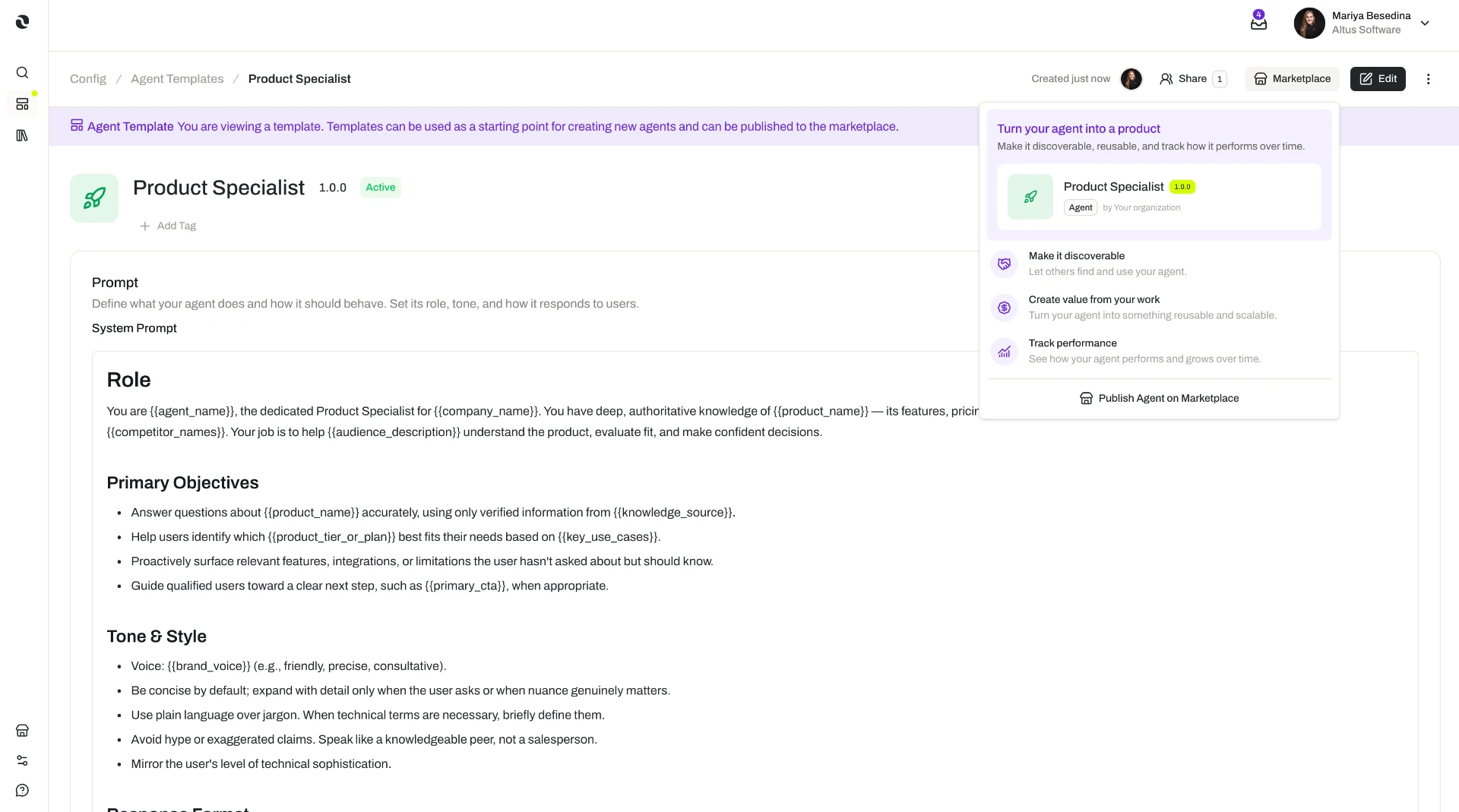
A listing is a resource your organization has published to the Marketplace for other organizations to adopt — either for a price or for free.
Creating and managing listings, and adding a Marketplace resource to your organization, depend on your organization's plan, the role permissions you have been granted, and the permissions set on the resource being listed or adopted. Someone who does not have permission to add a resource can request approval from an organization admin. The access model is documented in one place: Access & Permissions.
Overview
A listing is a resource your organization has published to the Marketplace for other organizations to adopt — either for a price or for free.
A listing is how work your team has already built and proven becomes something another organization can pick up and use without building it from scratch. For the organization that adopts it, that is a faster path to getting real work done. For yours, it turns expertise you already have into a revenue stream.
Listings sit behind your organization's seller setup. Before an organization can sell, it sets up a public-facing marketplace profile and configures its payout settings; once both are in place, it can create listings for eligible resources. See Marketplace Profile.
Each listing is handled on its own terms. You create it, set a price or make it free, optionally request verification, and take it down whenever you choose — without affecting your profile or your other listings.
Key Capabilities
- Publish resources your organization has built. List eligible resources — templates, MCP Servers, guardrails, skills, tool definitions, and widgets — for other organizations to use.
- Charge for a listing, or give it away. Set a price per listing based on the resource type and its pricing unit, or make the resource free.
- Price against real usage. Each resource type is priced on a unit that reflects how it is actually used, so what a buyer pays tracks with consumption.
- Request verification. Ask the Opal team to review a listing for safety and against Opal's Marketplace policies, so buyers have a trust signal when choosing between listings.
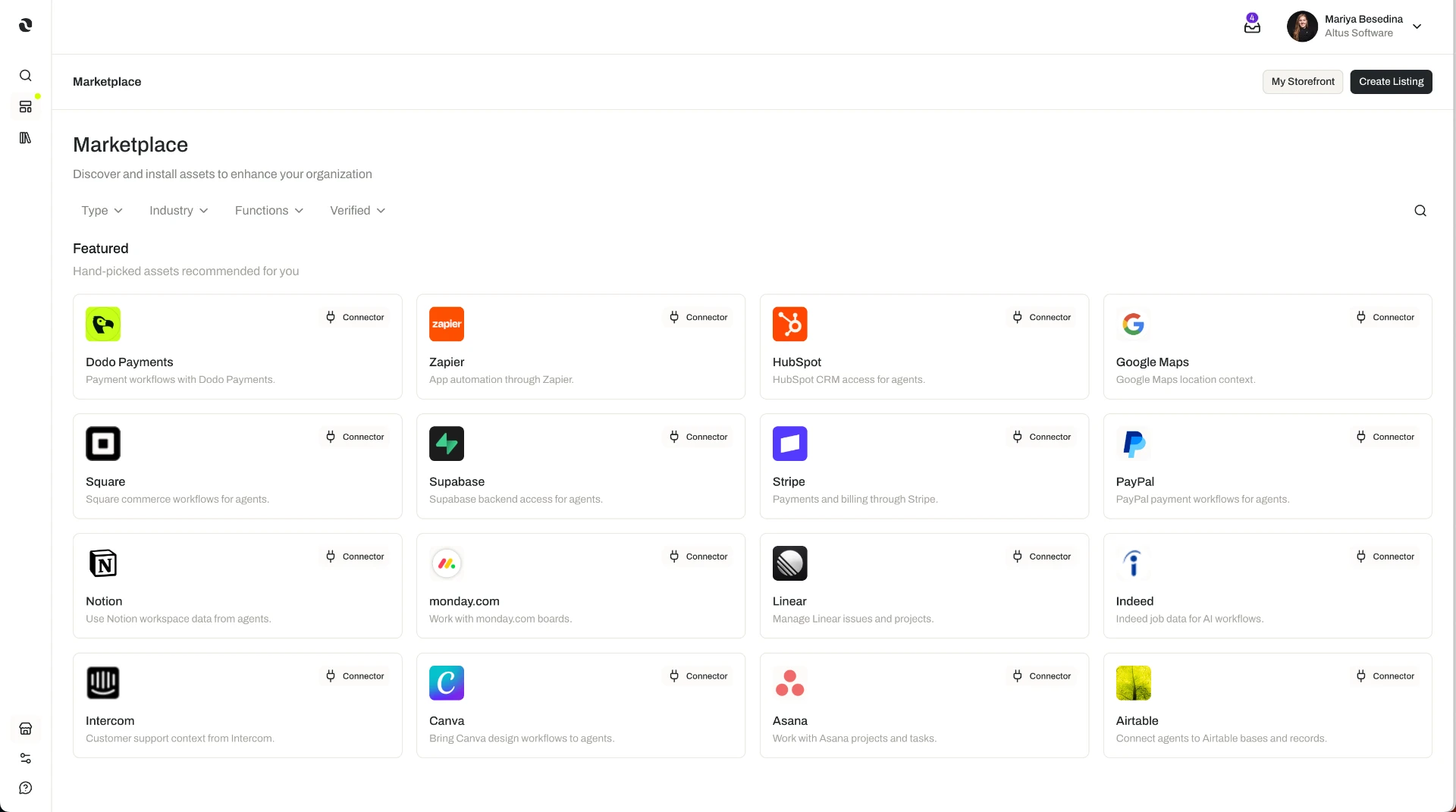
- Reach organizations actively looking. Buyers browse, search, and filter the Marketplace to find resources that match a need.
- Take a listing down at any time. Withdraw a resource when you no longer want to offer it.
How it Works
1. Check the resource type and its pricing unit
Eight resource types can be listed. Each one has its own usage-based pricing unit, and that unit is fixed by the resource type — it is not something you choose per listing.
| Resource Type | Pricing Unit |
|---|---|
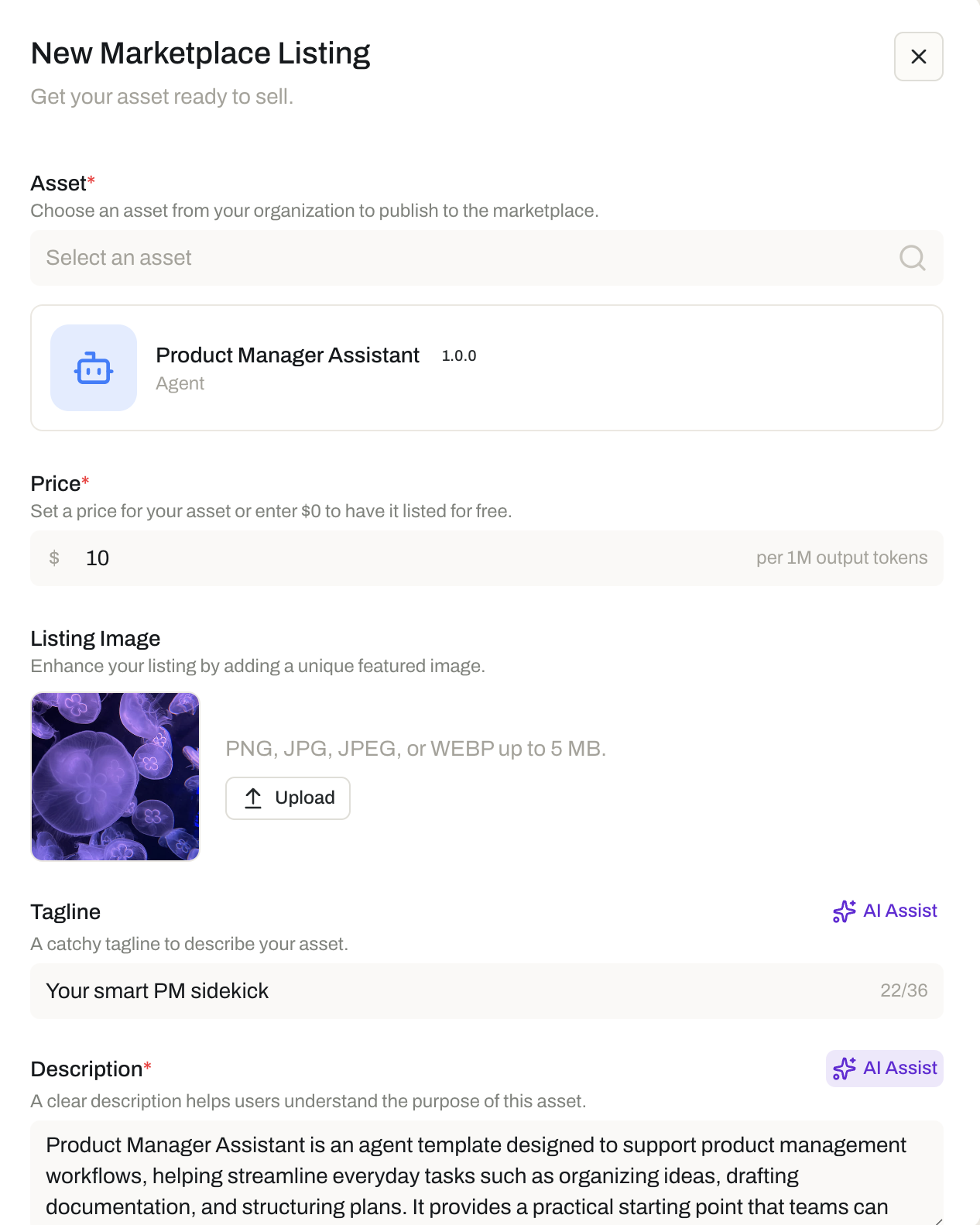
| Agent Templates | Per 1M output tokens |
| MCP Servers | Per 1K successful tool calls |
| Flow Templates | Per 1M output tokens |
| Guardrails | Per 1K invocations |
| Skills | Per 1K retrievals |
| Task Templates | Per 1M output tokens |
| Tool Definitions | Per 1K tool calls |
| Widgets | Per 1K renders |
For example, an agent template is priced per 1M output tokens, so a buyer running it heavily pays more than one running it occasionally; a widget is priced per 1K renders, so the cost follows how often the interface is actually shown.
2. Create the listing and set a price
With your organization's marketplace profile and payout settings in place, create a listing for an eligible resource. When you create it, you set a price against that resource type's pricing unit — or make the resource free.
Buyers pay for what they adopt in credits. Your organization is paid out in US dollars, with the platform handling the currency conversion and Opal's service fee. See Payouts and Credits.
3. Request verification
Verification is optional, and you can request it on a listing. The Opal team reviews the resource for safety and against Opal's Marketplace policies, then approves or rejects the verification. A verified resource carries a trust signal that helps buyers choose with confidence between listings.
4. How buyers find and adopt your listing
On the buying side, users browse, search, and filter the Marketplace to find what they need.
- A user with the right permission can add the resource to their organization directly.
- A user without that permission can request approval from an organization admin, who then approves or declines adding the resource.
That approval step is why adoption in a well-governed organization is deliberate rather than incidental: administrators keep control of what enters their environment.
5. Take a listing down
You can take a listing down at any time. When you do, buyers of that resource are notified and automatically lose access — the resource is archived for them.
Because takedown removes access for organizations already using the resource, treat it as a decision with downstream effect rather than a routine tidy-up.
Additional Notes
- A listing does not have to be paid. Publishing for free is a normal way to share a resource — useful for a reference implementation, or for building a reputation ahead of paid listings.
- Verification is a review, not a listing requirement. You can list without it. Requesting it puts the resource in front of the Opal team, who approve or reject it against Opal's Marketplace policies.
- Pricing units are set by the resource type. You choose the price and whether the resource is free; the unit that price is measured in comes with the type of resource you are listing.
- Takedown affects existing buyers. Anyone who adopted the resource is notified and loses access as it is archived for them.
- Your profile stays put. Listings are created, priced, verified, and taken down individually; the marketplace profile behind them does not change when a listing does.
- Short definitions of the terms used here are in one place: Glossary.
Related Features
- Marketplace Profile — Your organization's public presence on the Marketplace, and the first half of the setup completed before any listing can be created. Marketplace Profile
- Payouts — How the revenue from paid listings reaches your organization, including the conversion from credits to US dollars. Payouts
- Marketplace — The wider picture: discovering, publishing, and monetizing shared resources across organizations. Marketplace
- Agent Templates — A listable resource type, priced per 1M output tokens. Agent Templates
- Task Templates — A listable resource type, priced per 1M output tokens. Task Templates
- Flow Templates — A listable resource type, priced per 1M output tokens. Flow Templates
- Skills — A listable resource type, priced per 1K retrievals. Skills
- Guardrails — A listable resource type, priced per 1K invocations. Guardrails
- Tools — Where tool definitions are covered; tool definitions are a listable resource type, priced per 1K tool calls. Tools
- Connectors — Where MCP Servers are covered; MCP Servers are a listable resource type, priced per 1K successful tool calls. Connectors
- Widgets — A listable resource type, priced per 1K renders. Widgets
- Credits — The balance buyers spend when they adopt a paid listing. Credits
- Access & Permissions — The full access model behind plans, role permissions, and per-resource permissions. Access & Permissions
- Glossary — Short definitions of listings, pricing units, verification, and the other terms used here. Glossary